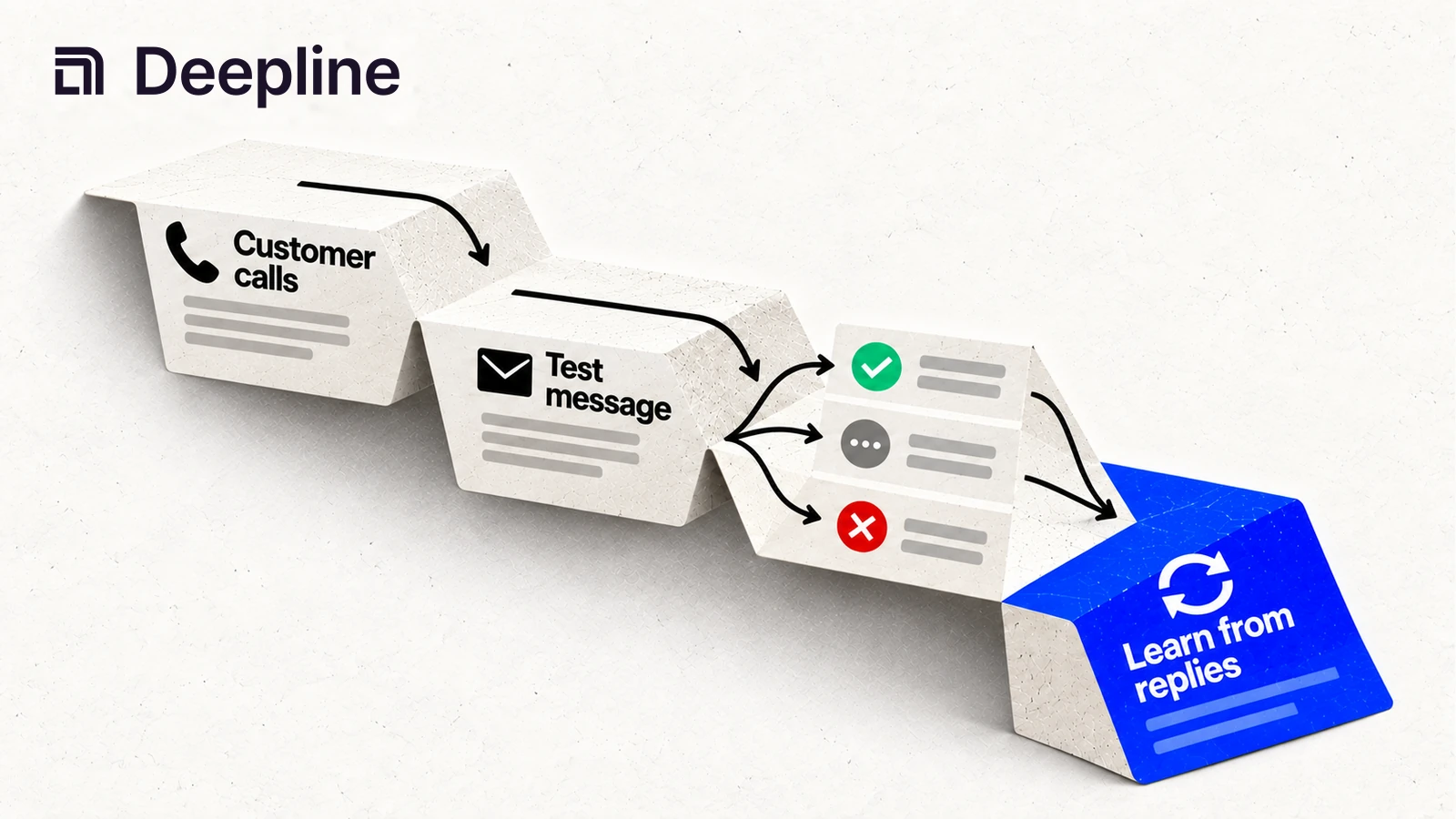
One of my early cold emails praised what a company was building. I hadn't even filled in its name.
This is what I sent:
Subject: customer journeys?
[name], I love what you guys are building at
<company>.Is increasing revenue via product adoption and retention on your radar? If so, would love to get your expert advice on what we're building.
The reader got [name] and <company> where their details should have been. Even without that mistake, the email asked for their time without explaining how I could help.
The formatting got better in later emails. The message was still about us:
Subject: Quick one on pipeline this quarter
Hi [name] - founder asking for advice.
We help RevOps launch and measure growth workflows without waiting on data/eng (natural-language, unified layer). Live with Owner.com; ex-Uber/Lyft/Capchase.
Would you sanity-check our approach for 10-15 minutes this week?
I listed our credentials and a customer name, then asked a stranger for fifteen minutes. I hadn't given them a reason to take the call.
Three weeks later, after seven emails to someone who never replied once:
Final close-out.
If priorities shift or you want to see how we handle your specific RevOps challenges, I'm here. Case study and 1-pager ready to share.
Good luck with Q1 targets!
"Good luck with Q1 targets." I didn't know if they had a Q1. I didn't know if they had targets. I just needed to close the sequence and that's what the template said.
We ran the same playbook on LinkedIn. We sent thirty-seven messages without a reply in a single month. Many ended with "Last note! Working on solutions to help find niche signals with the highest likelihood to close automatically..."
I spent weeks trying different subject lines and ways of asking for a meeting. I wasn't checking whether the people on my list needed what we built.
People told us they didn't understand it
Here are three replies to our December and January campaign:
"Probably one of the worst automated messages I have received." - Charles T.
"From your message above it is unclear to me what you are exactly building and trying to solve." - Ram G.
"You are making this way too complex. Can you tell in one sentence what you offer?" - Dominykas R.
We were sending descriptions like this:
We help RevOps teams leverage AI-powered workflows to optimize GTM velocity and pipeline efficiency through a unified context layer that integrates with your existing stack.
The reader had to translate every phrase before they could decide whether we could help. Their replies were asking us to explain what the software did.
Six weeks later, after describing the product in plain language, we got this reply:
"Your tool has amazing potential!" - Johanna T., GTM Engineer
The positive replies looked different
When we reviewed our Lemlist inbox in March, we found 22 conversations where someone had booked a chat or said they had. The replies were short:
"Booked. Curious."
"Would love to talk. Please share a calendar link."
"Yes, I'd be happy to learn more. What's the best way to connect?"
Other replies described the problem the person wanted to solve:
"Yes, very aligned. Most GTM teams end up acting like part time data engineers."
"60% is probably underselling it for most teams. The data plumbing never really stops - you fix one pipe and find three more leaking. What are you building to fix that?"
"Love what you're building - unified data layer + execution is definitely where things are headed. From what you described, are you seeing this more on the outbound side or RevOps?"
Now we had something to discuss on the call. We could ask which data tasks were taking up their time and what they had already tried.
Results from a smaller campaign
I sent 500 emails and received three replies. Two said "not interested," and the third stopped responding. Later, I sent 50 emails to a more specific group and received eight replies. Five wanted a call.
The emails took five minutes to write instead of two hours.
At April Tools Day, Ben Holley made a point I recognized from those campaigns. When you reach someone while they are working on the problem, the exact wording matters less.
That matched what I saw. The smaller list contained people who were working on the problem I described.
Finding someone who needs help now
Rob Snyder has founded three companies. His book, The Power of Pull, helped me understand why so many of those emails went nowhere.
When Rob worked through this with me, I realized that "find people with pain" was too loose. Someone can agree that a problem is annoying without planning to spend money on it. I needed to find people already responsible for fixing it.
He calls this PULL. It has four conditions:
- Project. Someone is responsible for a project that is already underway.
- Unavoidable. An external event requires them to finish it this quarter.
- Looking. They are evaluating options, asking peers, reading reviews, or taking calls.
- Limitations. The available options cannot do something the project needs.
I use those four conditions to decide whether to contact someone now.
Rob asks, "What was happening the week before you took this call?" Ask for the event that made the project urgent. General interest does not tell you whether they are ready to buy.
He gives "Sounds cool. Sounds great, buddy. Yeah." as an example of a reply that tells you very little. The person may like the idea without needing to buy anything.
I started asking which 50 people were most likely to be working on this project that week.
Further reading on Rob Snyder
Read the calls before writing the copy
Those replies are also useful when you write the next campaign. Read your call transcripts and messages to see how people describe the work they need help with.
Look through the last six months of conversations, including sales notes and support threads. Ask:
- What projects keep showing up?
- What made those projects urgent?
- What alternatives did people already try?
- What words do they use to describe the problem?
Our phrases, such as "unified context layer" and "agent-native GTM infrastructure," didn't explain much. People writing back talked about acting like "part time data engineers" and said "the data plumbing never really stops." Those phrases described work they were already doing.
The jargon problem
We contacted people who didn't have an active project, then sent messages that were hard to understand.
Here's one we sent, verbatim:
Reaching out to get your advice on analytics and data silos. We're working on eliminating custom data consolidation effort by using LLMs to effortlessly optimize and automate workflows data across silos, think analytics + Zapier/Workato so we know exactly what to automate.
The sentence never explained which task we could automate.
Here's another one from the same period:
We're working on making GTM more predictable by building a context engine that serves revenue-critical intelligence from product usage, CRM activity, conversations, and more - so teams can qualify, route, and act without manual data consolidation.
That one sounds more polished, which made it harder to spot the problem. "Revenue-critical intelligence" and "context engine" still don't tell someone what they could do with the product. I was using words I hadn't worked out how to explain.
Use the reader's words for the problem. If the email needs an explanation of our terminology, rewrite it.
Instantly's 2026 benchmark covers more than 100 million emails. The average reply rate was 3.43%. Campaigns sent to fewer than 50 people averaged 5.8%, compared with 2.1% for campaigns sent to more than 1,000. That doesn't prove that a smaller list caused better results, but it is a reason to test a small group before sending more.
Explain what the recipient would get from replying in the first sentence.
Testing an offer with a small group
Kellen Casebeer, who runs The Deal Lab, calls this "message-market fit." Your product may solve a problem, but the email still has to make sense to the person reading it.
Kellen starts with a specific group, such as recently funded financial technology companies that hired a VP of Sales last month. He tries different offers with that group. Would they rather see a case study or get a free review of their current setup? He tests that before changing individual words in the email.
His rule of thumb is to send a three-email sequence to 50 to 100 people in each group. Look for a group where at least 10% reply before expanding the campaign.
In Kellen's breakdown, he reports client reply rates above 13%. He attributes those results to finding an offer that matters to that particular group.

Further reading on Kellen Casebeer
- Kellen Casebeer on finding message-market fit (LevelUp Leads Podcast, Ep. 06)
- The clinical trial approach to message-market fit (Cannonball GTM)
- Message-market-fit: how to test 13 campaigns systematically (GTM Engineer School)
- Mastering cold email, Kellen Casebeer x Noah Adelstein (FishmanAF Newsletter)
The Mom Test, and where it stops working
The Mom Test by Rob Fitzpatrick is useful once you get someone on a call. Ask what they have done to solve the problem. If you ask whether they like your idea, they may give you a polite answer.
You still need to choose whom to call. Rob Snyder's PULL questions help you look for someone already trying to fix the problem. Then you can use The Mom Test to ask about their experience without steering them toward the answer you want.
If you have no customers yet, start with five conversations. Ask what people are working on this quarter and what is getting in the way. If your product cannot help with any of that work, revisit the problem you think it solves before building an email list.

Further reading on The Mom Test
- The Mom Test book
- How to convert customers with cold emails (YC)
- 0-$5M: how to nail founder-led sales (First Round Review)
Test the message on LinkedIn
Start with LinkedIn messages while you are still testing the offer. Email adds delivery problems that can make the results harder to interpret.
With email, a bad result can mean:
- the message was wrong
- the list was wrong
- the offer was wrong
- the inboxes were cold
- the domain was too new
- the email landed in spam
- the CSV was bad
- the prospect never saw it
LinkedIn removes most of that. If someone sees your profile, sees your message, and still ignores you, you learn faster.
Read each profile before sending a message, and decide whether the person has a reason to reply.
Read and comment on prospects' posts before contacting them. When you send a message, refer to the problem they described. Keep the first message short rather than adding a deck and a booking link.
Your co-founder, early team members, and advisors can also contact people they know. Five people having 20 conversations each week adds up to 100 conversations per week.
Add email when you know which group to contact and which offer gets replies.
Tools
You need two things: something to find people and something to send messages.
HeyReach handles LinkedIn outreach. Lemlist handles LinkedIn and email. Instantly handles email campaigns. I use Lemlist.
I use Deepline to find people to contact.

Email infrastructure comes later
An email that lands in spam cannot tell you much about the offer. Check delivery before drawing conclusions from a low reply rate.
While you are still working out whom to contact and what to offer, send small batches. Once people start asking about using the product, spend time on the email setup below.
Buy separate domains
Never send cold email from your main company domain. If your primary domain gets flagged, your regular business email goes down with it.
Buy 3-5 domains that look related to your main brand. If your company is acme.com, buy getacme.com, acmeapp.com, tryacme.com. Let new domains age at least 2 weeks before sending.
Compare registration and renewal prices at these registrars:
Set up three mailboxes per domain
Google Workspace and Microsoft 365 offer business mailboxes. Check their current pricing and sending limits.
Add a profile picture and signature that identify the sender.
Set up DNS authentication
SPF, DKIM, and DMARC help email services check who sent a message. Your domain needs these records before you start sending. The InboxKit setup guide walks through them.
SPF lists the servers allowed to send from your domain. Add a TXT record: v=spf1 include:_spf.google.com ~all
DKIM signs outgoing messages so recipients can check whether they changed in transit. In Google Workspace Admin, open Apps > Gmail > Authenticate email.
DMARC sets the policy for messages that fail authentication. Start with v=DMARC1; p=none; rua=mailto:dmarc@yourdomain.com for 2 weeks, then move to p=quarantine.
DNS setup guides
Turn off open tracking
I don't track opens anymore, just replies. Open tracking embeds invisible pixels. Click tracking rewrites your links. Both are signals that spam filters use to identify bulk outreach.
Warm up your inboxes
- Week 1: Send 5-10 warm-up emails per day.
- Week 2: Send 15-25 warm-up emails per day.
- Week 3: Add 5-10 cold emails per day alongside warm-up.
- Week 4: Increase to 15-25 cold emails per day per inbox.
After warm-up, stay at 15-25 campaign emails per inbox per day. With 3 inboxes across 4 domains (12 total), you can send 180-300 emails per day.
Instantly, Smartlead, and Lemlist all handle warm-up automatically.
Verify your list
Before loading contacts into your sending tool, run every email address through a verification service. Aim for a bounce rate under 3%.
NeverBounce, ZeroBounce, and MillionVerifier provide email verification. Check their current rates before uploading the list.
The full checklist
Before you send your first cold email:
- 3-5 separate domains purchased (not your main domain)
- Domains aged at least 2 weeks
- 3 inboxes per domain set up
- Profile picture and signature on every inbox
- SPF, DKIM, DMARC configured for each domain
- Open/click tracking turned off
- Warm-up running for 2-4 weeks (or pre-warmed inboxes purchased)
- Email list verified, bounce rate under 3%
Infrastructure resources
How Deepline works
Use what you learned from sales calls to decide which companies to research. Job listings and public posts can help. A company hiring its first sales development rep may need contact data for that person's outreach. A marketing leader might write about struggling to tell which campaigns bring in customers. Either gives you a specific subject to ask about.
Use Deepline to find contacts at those companies and retrieve their work emails. Keep the job listing or post with the contact record so you can refer to it when writing the message.
Building your first campaign
Once your sending account is ready, set aside an hour to draft and load a small campaign.

Minutes 0-5. Write down the group you want to contact. For example, look for software companies that just hired their first sales development rep and may need contact data. Explain which task you could help with and why they would need it now.
Minutes 5-20. Ask Deepline to look for relevant job listings and public posts from the last 30 days. Save the ones that suggest someone is working on the problem you can help with. Keep the person's own words with each result.
Minutes 20-30. Use Deepline to find 50 people who match one of those examples. For each person, write down why you chose them and what you still need to learn about their situation.
Minutes 30-45. Write an email for each group. Refer to the post or job listing that led you to contact them. Explain what they would get from replying, such as a relevant case study or a review of their current setup. Keep the email under 75 words.
A template:
Subject: [the signal]
Hey [name],
[What's in it for them - the outcome they'd get, tied to the signal you noticed.]
[One sentence about the pain that usually comes with that signal, in their language.]
[One specific offer - teardown, audit, case study.]
Worth a look?
Omit the company history and generic greeting.
Minutes 45-60. Load the list into Lemlist. Three emails: the one above, a one-line follow-up on day 3, and a breakup on day 7: "Figured this isn't relevant right now. If it is, I'm here." Hit send.
After day 7. Read the replies before deciding to send more. Treat the reply rate as a clue. Above 5% gives you a reason to keep testing that group. At 2-5%, try changing the offer. Below 2%, reconsider whom you are contacting. A reply that explains a need tells you more than a reply that only says no.
Further reading on cold email
Questions to answer before sending
Use these questions to check your targeting and message.
Question | Framework | |
|---|---|---|
1 | Is this person actively working on a problem I can solve? | PULL by Rob Snyder |
2 | What do I ask to find out what's actually true? | The Mom Test by Rob Fitzpatrick |
3 | Which segment responds to which offer? | Message-market fit by Kellen Casebeer |
4 | Who has the problem this week, not just in theory? | Signal research with Deepline |
Jai Toor builds Deepline. He writes his own cold emails. They're usually under 50 words.